Delegation
Overview
Delegation is one of the Share Access methods that allows organizations to authorize partners to manage their brand and location data in Apple Business. Delegated partners can take advantage of Brand, Showcase, and Insights API for their client organizations.
For a comparison between OAuth app and Delegation Share Access methods, see Share Access.
Delegation Steps
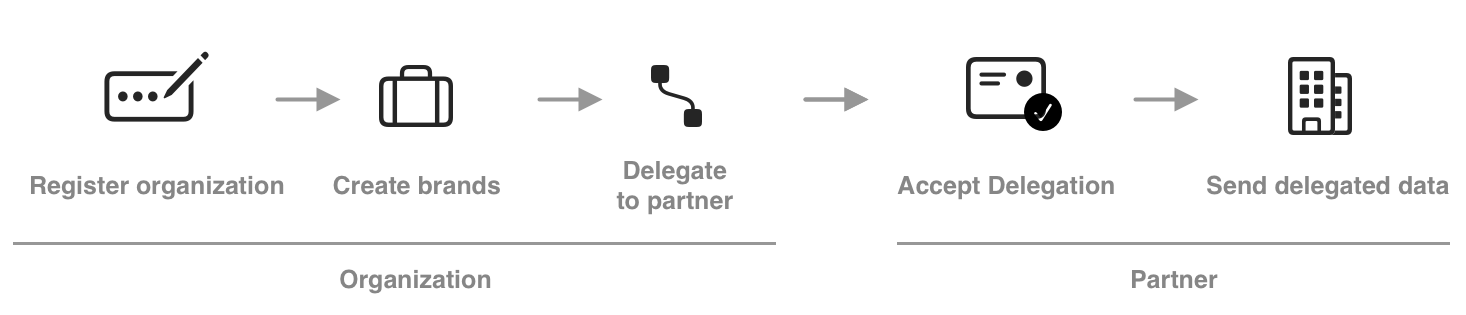
Step 1. Organization registers with Apple Business
- Organization creates Apple Business account.
- See the Apple Business User Guide > Sign in from an existing organization
- Receives verification from Apple.
Step 2. Organization creates brands and locations
- Add brand details for each country in the Apple Business portal.
- See Apple Business User Guide > Add a single brand to a single company
- See Apple Business > Guidance > Display Names
- Create or claim at least one location in the Apple Business portal.
- See Apple Business User Guide > Add a location in Apple Business
important
A brand location is not published until the location claim is verified.
Step 3. Organization delegates brands to partners
A permitted role delegates one or more brands or locations to one or more partner.
- See the Apple Business User Guide > Share your Apple Business access with a Third-Party Partner
Step 4. Partner sends organization data to production
Send all location data through Delegation using their own partner service account.
- See Core Concepts > Service Accounts
- See Production Launch > Send Data with Share Access