Introduction
Introduction
Version: v1.5.0Last update: June 23, 2026
Apple Business is a free, web-based portal that helps business owners manage, measure, and grow their businesses. Organizations of all sizes can register to bring their brands to life and connect with customers through Apple's business features—all from a single account.
This guide provides step-by-step instructions for third-party partners to integrate their location data management platforms with the Business API.
What is the Business API?
The Business API enables third-party partners to enhance their client organizations' brand presence in the Apple ecosystem and deliver accurate, up-to-date information at scale.
Through partners using the API, business owners can build their best digital representation on Apple Maps place cards, in Mail, and across the Apple ecosystem. Partners can deliver current information efficiently, gather insights on submitted data, and help drive greater discovery of their client organizations' data.
Only approved partners can integrate with the Business API.
Partners include:
- Brand listings management agencies
- Location data aggregators
- Marketplace platforms
- B2B SaaS organizations
Onboarding Overview
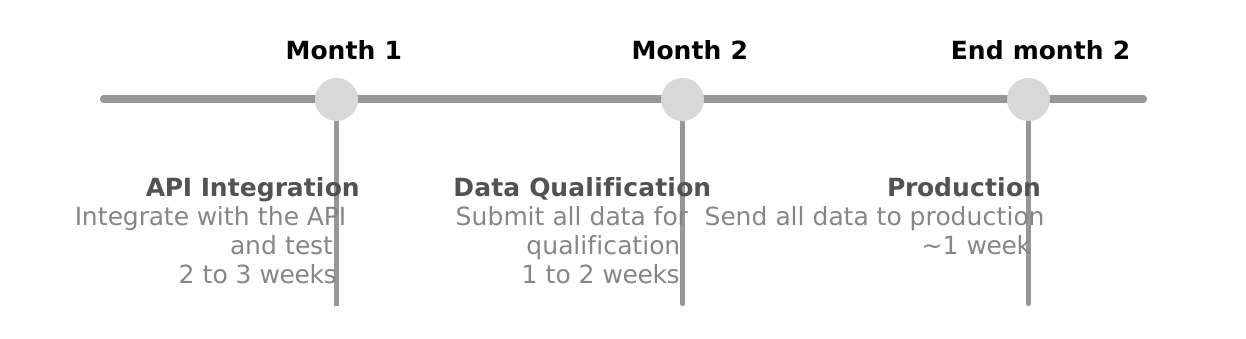
The Business API onboarding process is illustrated below.

Step 1: Get Started: Register as a partner and request API access.
Step 2: API Integration: Test your platform connection in the API Integration Environment (AIE).
Step 3: Data Qualification: Submit your production data for evaluation in the Data Qualification Environment (DQE).
Step 4: Production Launch: Begin streaming your data in the production environment.
Throughout the onboarding process, Apple Business will send important emails from @email.apple.com addresses. Be sure to check your spam filters to ensure these emails are delivered.